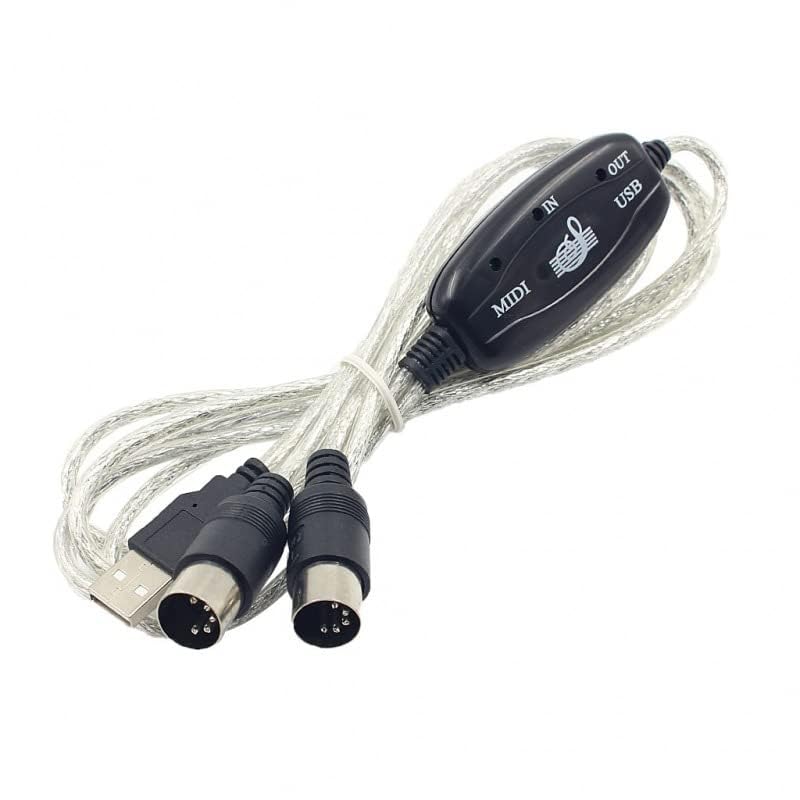
EMSTAR USB MIDI Cable – Professional 6.5FT MIDI to USB Adapter for Piano Keyboard to PC/Laptop Connection, Editing & Recording (Silver)
Brand : EASTAR
Categories : Accessories >> Cables and Leads >> MIDI Cables

Description
USB IN-OUT MIDI Cable Converter – PC to Music Keyboard Adapter Cord Description: Easily connect your MIDI keyboard or device to your computer with this USB MIDI cable converter. Perfect for music production, recording, or practice. Instructions for Use: 1. Connect the cable labeled "IN" to the MIDI "OUT" port on your keyboard or MIDI device. 2. Connect the cable labeled "OUT" to the MIDI "IN" port on your keyboard or MIDI device. 3. Plug the USB end into an available USB port on your computer. The red LED indicator will light up to show the device is powered. 4. Launch your preferred music software (e.g., Cubase, Sonar, MIDI Connections). 5. Set the MIDI input and output options in your software to "USB Audio Device." 6. Your USB to MIDI interface is now ready to use. 7. For best performance, always connect the interface to the same USB port to avoid multiple driver installations. Note: This cable is not compatible with Yamaha devices. Specification: Cable Length: 2 meters Package Includes: 1 × USB to MIDI Cable 1 × Instruction Sheet
Features
- 【Plug and Play】Simply connect the USB to MIDI cable—no driver installation required. Just plug in and start using your device instantly. - 【Fast and Stable】Features a high-performance processing chip for rapid signal transmission and high-quality audio output. - 【Easy Installation】Connect the "IN" plug of the MIDI cable to the "OUT" port of your electronic keyboard, and the "OUT" plug to the "IN" port. - 【Wide Compatibility】Compatible with Windows XP/Vista/7/8.1/10 and Mac OS. - 【Package Contents】Includes 1 USB to MIDI interface cable and 1 instruction sheet.
Reviews and Articles
Discover the benefits of the White Acrylic Turntable Mat for vinyl records. Explore its build quality, features, and audio performance in our detailed review.
Explore the features, build quality, and audio performance of the Planet Waves American Stage Microphone Cable in our comprehensive review.
Explore our review of the 3Ft 1/4 Inch TRS Stereo Audio Cable, focusing on build quality, features, performance, and who can benefit from this versatile audio accessory.
Discover the ProX XB-DJBPL Live Performance Gear review, focusing on build quality, features, audio performance, and who it's best suited for.
Discover the Alnicov 2mm Felt Turntable Slip Mat, a premium accessory for LP records that enhances sound quality and prevents slippage. Read our balanced review.
Discover the features, build quality, and performance of the DeckSaver Numark NS6 Cover. Ideal for protecting your DJ controller from dust and spills.
Similar DJ Gear