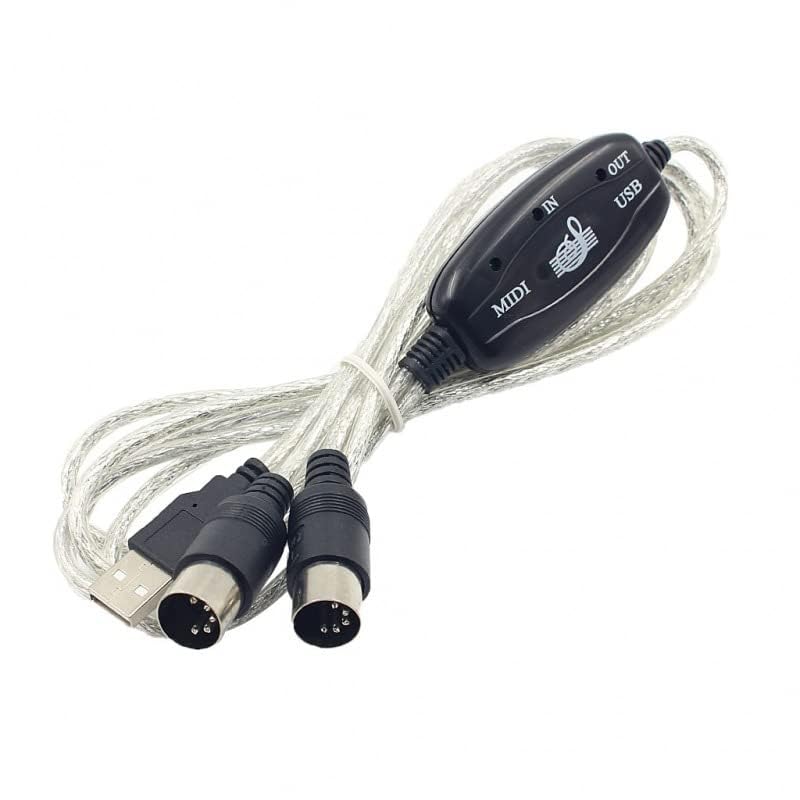
axGear USB to MIDI Cable Adapter Converter for PC, Computer, and Music Keyboard – Brand New
Brand : axGear
Categories : Accessories >> Cables and Leads >> MIDI Cables

Description
USB 2.0 to MIDI Cable Easily transform your PC into a music studio. Simply connect your electronic musical instrument to your computer using the included USB MIDI cable, and in minutes you’ll be playing and recording your music on your PC. With compatible software, you can add more instruments, edit and mix your tracks, and even print out sheet music for your finished compositions. Features: - Latest model with built-in driver - True Plug & Play—no driver installation required - 1 In and 1 Out MIDI interface - Supports 16 MIDI input channels and 16 MIDI output channels - LED indicators for power, MIDI In, and MIDI Out signals - USB bus powered—no external power source needed - Cable length: 2.0m (6 ft) Instructions: 1. Connect the cable labeled “IN” to the MIDI “OUT” port of your MIDI keyboard or device. 2. Connect the cable labeled “OUT” to the MIDI “IN” port of your MIDI keyboard or device. 3. Plug the USB cable into any available USB port on your computer. The red LED will light up to indicate power. 4. Open your music software (such as Cubase, Sonar, or MIDI Connections). 5. Set the program’s MIDI In and MIDI Out devices to “USB Audio Device.” 6. Your USB to MIDI interface is now ready to use. For best results, always connect the interface to the same USB port it was originally installed on to avoid multiple driver installations. Package Includes: 1 x USB to MIDI Converter Cable
Reviews and Articles
Discover the Pyle Adjustable Heavy Duty Tripod Stand for laptops, DJ gear, and projectors. Explore its build quality, features, and performance to see if it's the right fit for your setup.
Discover the DeckSaver Cover for Reloop Digital Jockey 2 in our detailed review. Explore its build quality, features, and why it's essential for DJs looking to protect their gear.
Discover the SH-LS800 Premium DJ Laptop Stand in our detailed review. Explore its build quality, features, performance, pros and cons, and find out if it's the right fit for your DJ setup.
Explore our balanced review of the 3.5mm TRS to Dual XLR Male Stereo Breakout Cable. Discover its build quality, features, audio performance, and ideal use cases.
Discover the features, sound performance, and build quality of the Audio-Technica Instrument and Guitar Cable for UniPak in our detailed review.
Discover the HECASA Foldable DJ Stand, a heavy-duty adjustable workstation perfect for DJs. Explore its build quality, features, and performance in our comprehensive review.
Similar DJ Gear