
Pioneer DJ XDJ-RX3 Review: Stepping Into Pro DJ Territory Without the Hassle?
Categories : DJ Controllers
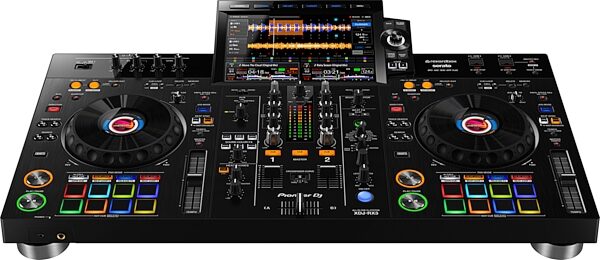
You’ve been honing your skills on a basic DJ controller, and now you're ready to level up? Craving a setup that feels professional but doesn’t require mastering a full CDJ and DJM rig? Or maybe you’re not even sure what DJing entails yet—but you’ve got some cash and curiosity? Enter the Pioneer DJ XDJ-RX3—a powerful all-in-one system that aims to bring the club-standard experience straight to your home, studio, or live gig.
In this Pioneer DJ XDJ-RX3 Review, we’ll dive deep into what makes this unit stand out. Designed to strike the perfect balance between accessibility and pro-level features, the RX3 offers an intuitive layout with performance capabilities that appeal to both up-and-coming DJs and seasoned performers. But is it really worth your investment?
We’ll cover everything from the build quality and feature set to how it compares with other systems in its price range. Whether you're just starting out or already spinning regularly, this review will help you decide if the RX3 is your next big move.
So let’s take a closer look and find out if the Pioneer DJ XDJ-RX3 truly lives up to the buzz.
Pioneer DJ XDJ-RX3 Review: Is This the Ultimate Standalone DJ System?
This is what we're going to cover :
- Design and First Impressions
- Jog Wheels and FX
- Performance Pads
- The Touchscreen
- Setting Up
- Sound Quality
- Pricing and Value
- Alternatives
- Pros and Cons
Design and First Impressions
The Pioneer DJ XDJ-RX3 immediately impresses with its professional layout, borrowing design cues from the flagship CDJ-3000 and DJM-900NXS2 systems. It’s sleek, well-built, and feels premium from the moment you unbox it. The unit combines functionality and aesthetics—black matte finish, a spacious layout, and high-quality knobs and faders that suggest this is no entry-level gear. Everything is intuitively placed, making it easy for transitioning DJs to adapt without feeling overwhelmed.
Despite being an all-in-one system, the RX3 doesn't feel cramped. It strikes a great balance between portability and a club-ready footprint, making it ideal for mobile gigs, home studios, or even smaller club setups.
Jog Wheels and FX
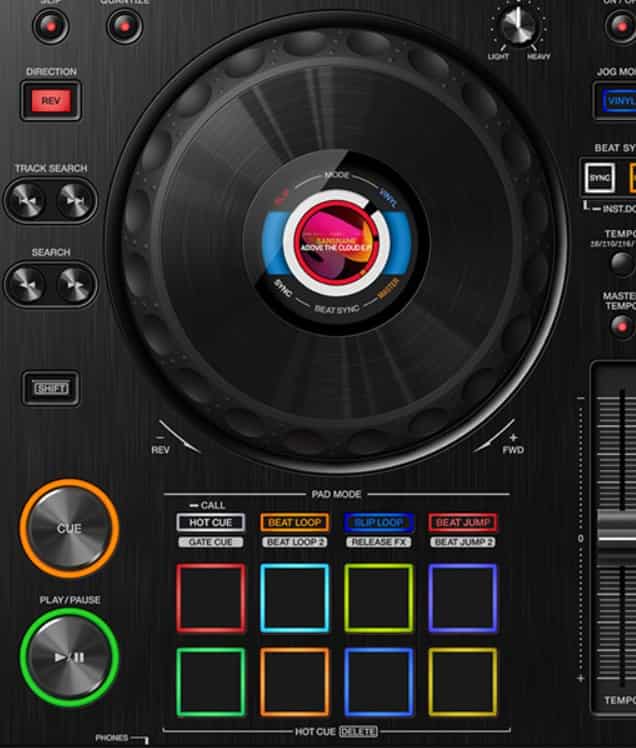
The jog wheels are one of the standout features of the RX3. They're full-sized and feel almost identical to those on Pioneer’s higher-end CDJs. With a central LCD screen displaying track artwork and playhead position, you get all the critical info right where you need it. The jogs are responsive and great for scratching, beatmatching, or even just nudging the track—whatever your style, they perform beautifully.
In terms of FX, the RX3 includes a wide selection of Beat FX and Sound Color FX from Pioneer’s professional DJM mixers. These effects are easy to activate and tweak on the fly, adding dynamic energy to your sets without requiring deep menu diving.
Performance Pads
Beneath each jog wheel are eight RGB performance pads that unlock a range of creative tools. You can trigger hot cues, beat loops, slip loops, and beat jumps with satisfying tactile feedback. The pads are velocity-sensitive, and while not as expansive as some standalone controllers, they offer enough flexibility for live remixing and creative mixing.
For DJs transitioning from controllers like the DDJ-1000 or DDJ-FLX10, these pads will feel familiar and responsive, allowing for expressive, hands-on performance.
The Touchscreen
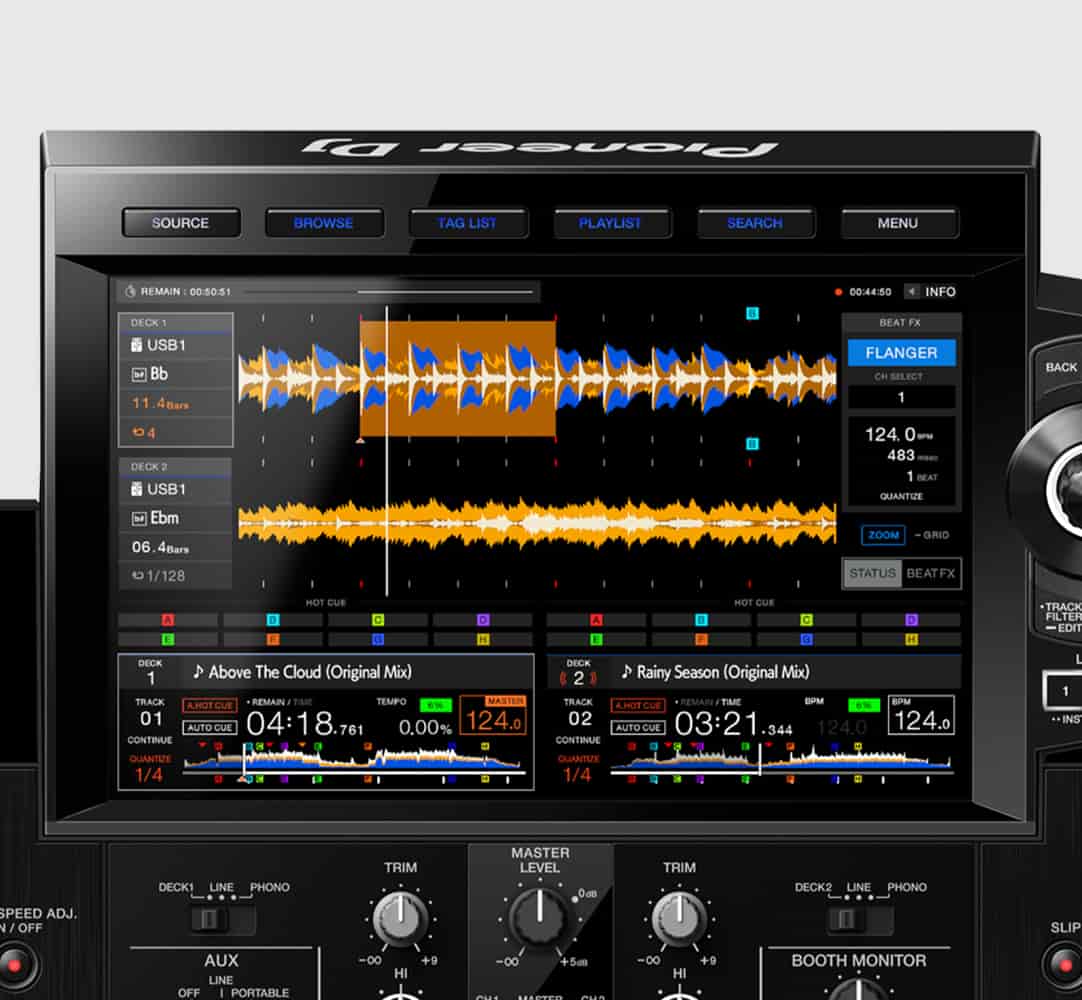
The 10.1-inch touchscreen is arguably the crown jewel of the RX3. It’s bright, responsive, and provides a ton of useful functionality—waveforms, track info, playlist browsing, effects control, and more. Pioneer has incorporated features like Playlist Bank, Touch Preview, and Touch Cue, all of which make browsing and prepping tracks faster and more intuitive.
Compared to the RX2’s display, this is a massive upgrade. It feels like using a tablet with DJ software integrated. Navigating menus, selecting FX, and loading tracks feels seamless and modern, enhancing your workflow whether you're prepping a set or playing live.
Setting Up
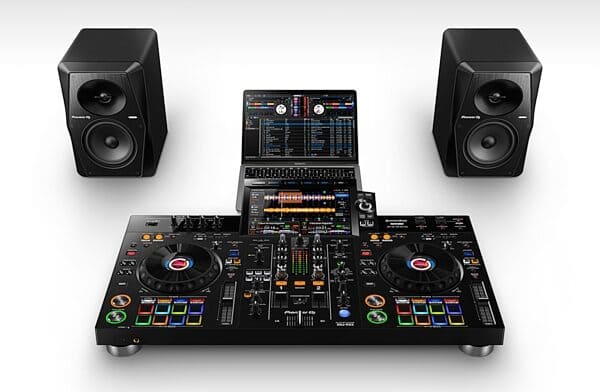
One of the biggest advantages of the Pioneer DJ XDJ-RX3 is its plug-and-play nature. It supports standalone playback via USB drives, but also integrates with Rekordbox and Serato DJ Pro for those who prefer laptop-based DJing. Setup is quick and simple: plug in your USB, speakers, headphones, and you're ready to go.
The rear panel offers balanced XLR outputs, RCA booth and master outputs, two mic inputs, and even phono/line inputs for external gear like turntables or media players. Whether you're practicing at home or playing out, the RX3 has all the connections you need.
Sound Quality
In terms of audio, the XDJ-RX3 delivers clean, powerful sound that rivals Pioneer’s standalone club systems. It features a 64-bit digital signal processor, ensuring high-resolution audio playback and minimal latency. Whether you're playing through monitors or a full PA system, the sound is crisp, well-balanced, and performance-ready.
Even the microphone inputs sound clear with minimal feedback, which is a bonus for mobile DJs or streamers who rely on high-quality voice input.
Pricing and Value
The RX3 typically retails around $2,000–$2,200 USD, positioning it in the upper mid-range of DJ gear. While that might seem steep, you’re effectively getting a two-deck CDJ setup with a DJM-style mixer and a touchscreen interface in a single unit. For many DJs, that means no need to buy separate decks, mixers, or even a laptop.
If you’re serious about your DJ career—or even just passionate about high-quality gear—the RX3 offers exceptional value for money. It’s more expensive than entry-level controllers, but miles ahead in performance, durability, and long-term usability.
Alternatives
While the XDJ-RX3 is a standout, it’s not without competition. Here are a few alternatives to consider:
Denon DJ Prime 4+ – Offers four decks, built-in Wi-Fi, and deeper streaming integration. A strong competitor with more features at a similar price point.
Pioneer DDJ-1000 with Rekordbox – Great if you prefer a controller setup with a laptop; it has similar jog wheels and mixer layout.
Pioneer OPUS-QUAD – A more recent release with four-deck standalone playback and an elegant design, though at a higher price tier.
XDJ-XZ – Larger and more expensive, but closer to the club-standard CDJ/DJM workflow with more connectivity options.
Each has its strengths, but if you want a well-balanced, all-in-one unit with deep Rekordbox integration and a club-style layout, the RX3 still holds strong.
Pros and Cons
Pros:
- Intuitive layout with pro-level design
- Large, responsive 10.1" touchscreen
- Excellent jog wheels with onboard displays
- Rekordbox and Serato DJ Pro compatibility
- Standalone operation—no laptop required
- High-quality audio and effects
- Portable for gigs and home use
Cons:
- Two-channel only (might limit multi-deck creativity)
- No built-in battery—requires AC power
- Pricier than entry-level controllers
- Limited streaming options compared to Denon gear
Final Verdict: Should You Buy the Pioneer DJ XDJ-RX3?
In this Pioneer DJ XDJ-RX3 Review, we've seen how this all-in-one DJ system bridges the gap between beginner gear and professional setups. With a robust feature set, club-style layout, and intuitive workflow, it’s one of the best options for DJs looking to step up their game without investing in separate CDJs and mixers.
Whether you're performing live, producing mixes at home, or streaming online, the RX3 delivers a reliable and inspiring experience. It’s not just a stepping stone—it’s a serious tool that can support your growth for years to come.
Reviews and Articles
Explore our in-depth review of the Boytone 12-Channel Bluetooth Studio Audio Mixer. Discover its build quality, features, sound performance, and who it’s best suited for.
Explore our comprehensive review of the Hercules DJControl Inpulse 200 DJ Controller. Ideal for beginners with a user-friendly design and solid performance.
Discover the strengths and weaknesses of the AlphaTheta DDJ-GRV6, a 4-channel DJ controller designed for both beginners and seasoned performers. Read our comprehensive review.
Explore our in-depth review of the Native Instruments Traktor Kontrol S3, a 4-channel DJ controller that combines robust build quality with excellent audio performance and user-friendly features.
Explore our detailed review of the Traktor Kontrol S8 DJ Controller by Native Instruments, covering build quality, features, audio performance, and ideal use cases.
Related Products :


