
Native Instruments Maschine MK3 Drum Controller Review
Categories : Drum Machines
A Complete Comparison with Maschine MK1 and MK2
Introduction
The Native Instruments Maschine MK3 drum controller is a game-changing tool in modern music production. Building upon the legacy of the MK1 and MK2, Native Instruments has delivered an intuitive, powerful, and innovative update that blends hardware precision with software flexibility. In this review, we take a deep dive into the Maschine MK3, comparing it directly with its predecessors and evaluating how it fits into today’s beat-making and production workflows.
Design and Build Quality
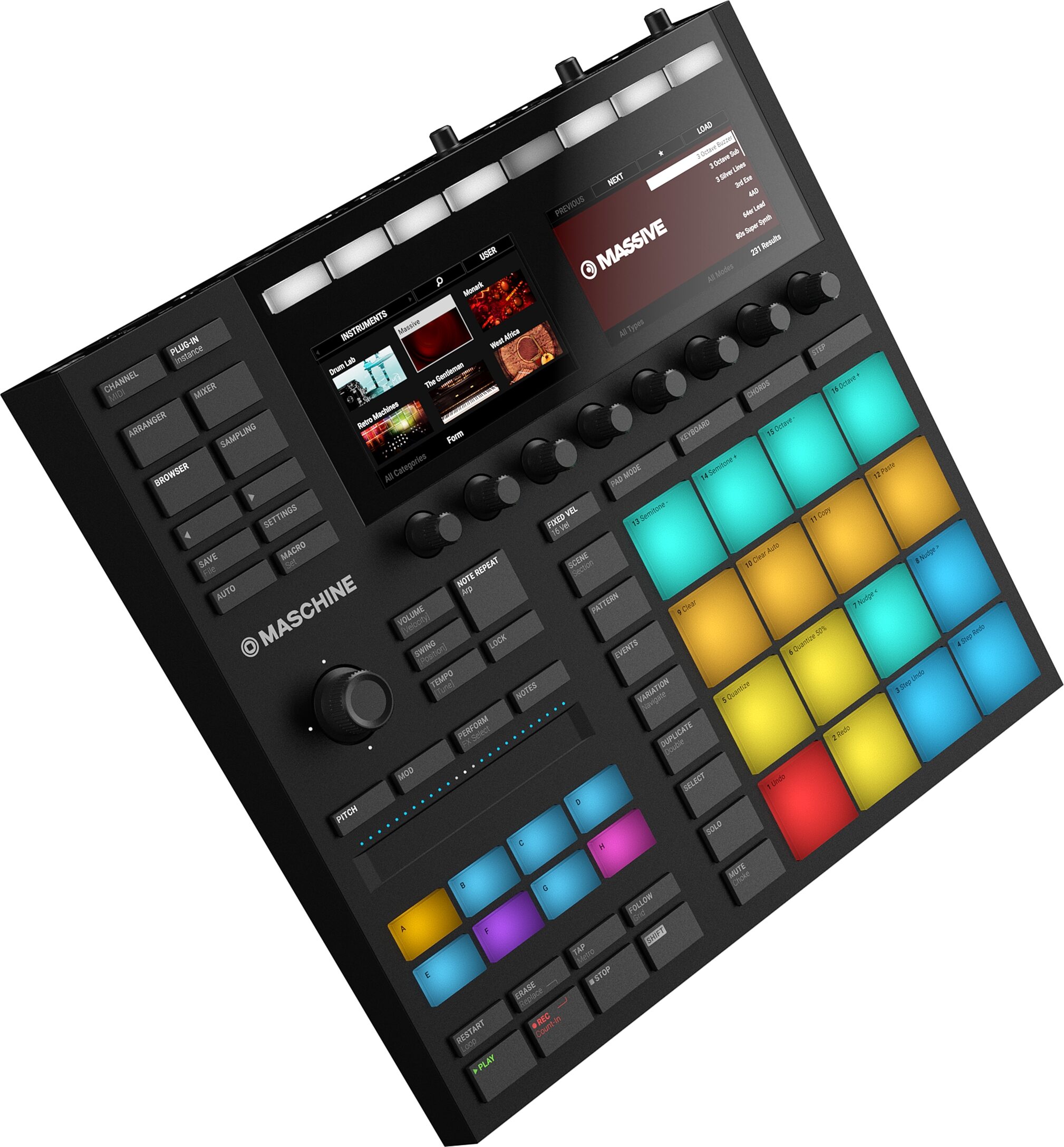
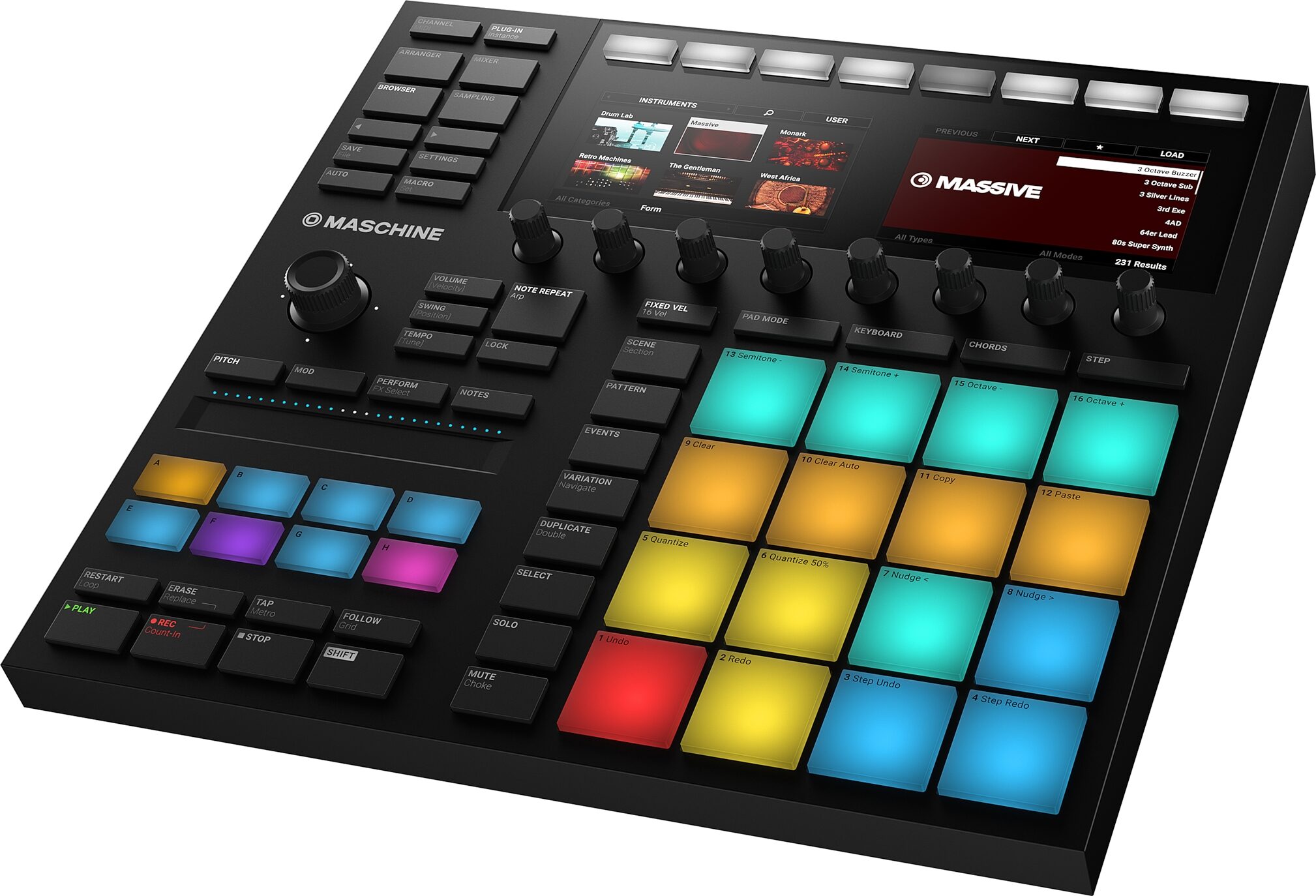
One of the most immediate upgrades in the Native Instruments Maschine 3.0 is the improved design. The MK3 introduces a sleeker, flatter profile with more rounded edges, a larger form factor, and better ergonomic layout. The biggest design innovations include the two high-resolution full-color displays, which now allow for visual browsing, editing, and mixing without the need to look at your computer screen.
Compared to the MK1, which had a very basic monochrome screen and rigid plastic feel, the MK3 feels more premium and professional. The MK2 did introduce colored pads and better knob layout, but it still felt constrained by its smaller, less intuitive interface. MK3 improves on both with a smart button layout, touch strip, and larger pads.
Pads and Performance
At the heart of the Native Instruments Maschine MK3 drum controller are its 16 RGB-illuminated velocity-sensitive pads. These are larger and more responsive than both the MK1 and MK2. The pads are now perfect for finger drumming, playing melodic lines, or launching clips in a live setting.
The response curve has been fine-tuned, offering a satisfying tactile response. This was a known issue in the MK1, which suffered from overly stiff pads, while the MK2 improved slightly but still didn’t match the playability standards set by rival products like the Akai MPC. MK3 finally bridges this gap.
Hardware Integration and Controls
MK3 shines when it comes to workflow optimization. The dedicated buttons for common functions such as quantize, duplicate, undo, and macro control are intuitive and strategically placed. The touch strip is a fantastic addition, allowing for pitch bending, modulation, and performance effects on the fly.
In contrast, the MK1 lacked many of these controls, requiring more keyboard and mouse intervention. MK2 added slight enhancements, such as better knobs and a more polished layout, but the MK3’s integration is far superior. The inclusion of a built-in 24-bit/96kHz audio interface with dual line inputs, headphone output, and MIDI I/O is a huge plus for producers who want to minimize gear clutter.
Maschine Software 2.0 and Compatibility
With the release of the MK3 came full integration with the updated Native Instruments Maschine 3.0 software, a powerful DAW-style environment that is part groovebox, part sampler, and part mixer. The software now includes improved arranging tools, more effects, better VST support, and enhanced mixing capabilities.
MK1 and MK2 users can still use Maschine 3.0, but the hardware experience is not as seamless. For example, MK1 doesn’t support many of the new software’s visual features due to its limited screen. MK2 is better, but still cannot leverage the newer dual-screen workflows and touch strip navigation that MK3 offers.
Audio Interface Capabilities
One of the most lauded features in the Native Instruments Maschine MK3 drum controller is the built-in audio interface. This allows users to plug microphones, instruments, or external gear directly into the controller, bypassing the need for an external interface. This feature was absent in both the MK1 and MK2.
For producers working on-the-go or in minimalist setups, this is a dream come true. The sound quality is top-notch, supporting up to 24-bit / 96 kHz resolution, and latency is impressively low for real-time recording and monitoring.
Workflow and Usability
The MK3's workflow is streamlined and fluid. Thanks to the improved software-hardware integration, producers can sequence, mix, arrange, and even master tracks directly from the hardware unit without ever touching the mouse. The dual screens display browser, waveform, mixer, and plugin settings contextually, reducing interruptions in creativity.
MK1 users will remember a more cumbersome, computer-reliant experience. MK2 improved navigation, but still required switching between software and hardware. The MK3 offers a near-standalone workflow that mirrors flagship grooveboxes, making it a much more versatile and production-ready device.
Sound Library and Expansion
Out of the box, the MK3 comes with a comprehensive collection of sounds, including drum kits, instruments, effects, and one-shots. Users get access to Komplete Select and can expand via Native Instruments’ wide range of sound packs.
The library integration in Native Instruments Maschine 3.0 is stellar — tagging, previewing, and loading sounds is faster and more visual. While MK1 and MK2 also support expansions, they lack the instant visual browsing experience MK3 provides through its screens and smart encoder navigation.
Pros and Cons
Pros
- Dual high-resolution displays
- Built-in audio interface
- Improved, responsive RGB pads
- Touch strip and better performance controls
- Excellent software integration with Maschine 3.0
- Portability and all-in-one production
Cons
- No standalone mode (still requires a computer)
- Learning curve for new users
- Price point is higher than MK1/MK2
Who Should Buy the Maschine MK3?
Whether you're a beginner beatmaker, a seasoned producer, or a live performer, the Native Instruments Maschine MK3 drum controller is one of the most versatile and complete options available today. If you’re still using MK1 or MK2, the upgrade is well worth the investment. The improved pads, audio interface, and workflow tools will dramatically enhance your creative output.
Final Verdict
The Native Instruments Maschine MK3 represents a significant leap forward from its earlier iterations. Native Instruments listened to user feedback and delivered a controller that feels modern, intuitive, and performance-ready. While MK1 and MK2 paved the way, MK3 redefines what's possible in a hybrid music production environment.
With the full power of Native Instruments Maschine 3.0 under its belt, it stands not just as an upgrade, but a complete reimagination of what a drum controller and music production system can be.
Reviews and Articles
Explore our in-depth review of the Teenage Engineering PO-33 K.O.! Pocket Operator. Discover its features, sound performance, and ideal use-cases.
Explore our in-depth review of the Alesis SR-18 Studio Drum Machine and ASP-1 MKII Sustain Pedal Bundle, focusing on build quality, features, performance, and ideal use cases.
Discover the features, performance, and pros and cons of the Boss DR-3 Dr. Rhythm drum machine in our comprehensive review. Ideal for beginners and portable for live gigs.
Discover our in-depth review of the BeatBuddy 10th Anniversary Edition drum machine. Explore its build, features, performance, and who it's best suited for.
Discover the Teenage Engineering OP–XY, a portable synthesizer with a sequencer, sampler, and built-in features. Read our in-depth review.
Related Products :


