
6 Best Digital Audio Workstations (DAWs) — A Deep, No-Fluff Comparison for Producers and Engineers
Categories : Computer Music
Shortlist: Ableton Live • FL Studio • Avid Pro Tools • Apple Logic Pro (Mac) • Cockos REAPER • Logic Pro for iPad
Picking a DAW is ultimately about fit: how the software aligns with your habits, your plug-in collection, and the kinds of projects you finish. This guide focuses on the six most popular and capable DAWs across electronic production, songwriting, band tracking, post, and on-the-go creation. You’ll get a concise “who it’s for,” a thorough comparison table, a quick feature matrix, and detailed sections explaining strengths, weaknesses, and smart buying tips.
Quick Picks (Who Should Choose What?)
- Ableton Live: Clip-based creativity, sampling tricks, sound design, and live performance with or without a controller.
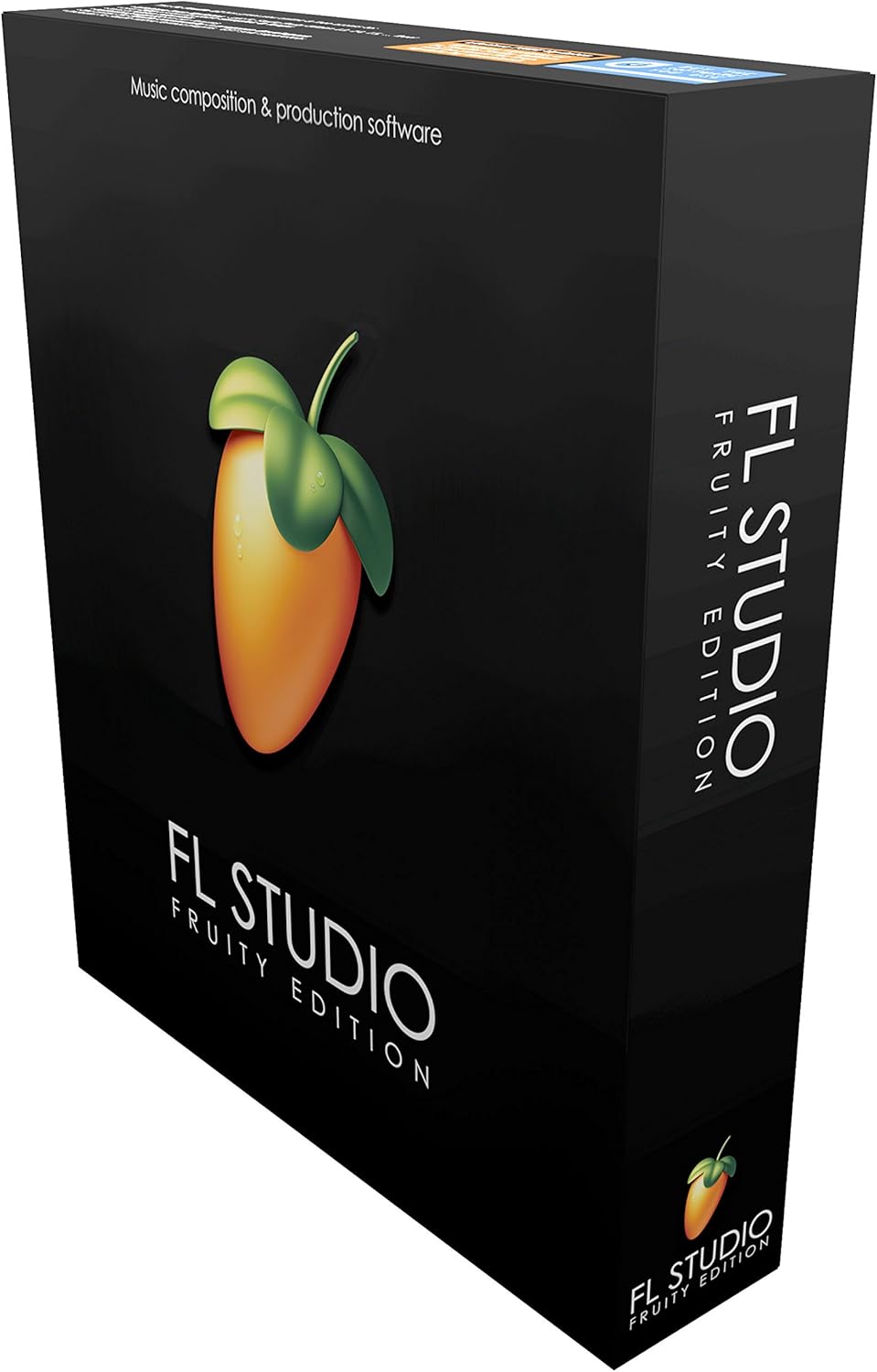
- FL Studio: Pattern-driven beatmaking, rapid arrangement from the Piano Roll, EDM/hip-hop production, strong value over time.
- Avid Pro Tools: High-track-count recording/editing/mixing, band tracking, broadcast/post workflows, professional deliverables.
- Apple Logic Pro (Mac): Songwriting to mix/master in one box, huge instrument/effect suite, great for composers and producers.
- Cockos REAPER: Maximum customization, scripting, lean performance, and cross-platform flexibility (including Linux).
- Logic Pro for iPad: Touch-first music creation, AUv3 plug-ins, sketch-to-finish (stereo) on the go with round-trip to Mac.
In-Depth Comparison Table
Tip: On mobile, the table scrolls horizontally.
| DAW | Platforms | Plug-in Formats | Pricing Model | Signature Workflow & Tools | Instruments / Effects Highlights | Performance & Stability | Immersive / Spatial | Best For | Limitations |
|---|---|---|---|---|---|---|---|---|---|
| Ableton Live | macOS, Windows | VST3, AU (macOS) | Perpetual (Intro/Standard/Suite) | Dual-view: Session (clips/scenes) + Arrangement; Max for Live; MIDI generators; fast resampling | Operator, Wavetable, Drum Buss, Echo, Hybrid Reverb; vast Max for Live ecosystem | Highly responsive; excels with warped audio, loops, and clip juggling | Possible via external tools/workflows | Electronic, live performance, remixing, sound design | Less traditional scoring/post emphasis; no native Dolby renderer |
| FL Studio | macOS, Windows | VST3, AU (macOS), CLAP | Perpetual with lifetime updates (editions) | Channel Rack + pattern workflow; elite Piano Roll; Patcher modular environment | Flex, Harmor, Sytrus, Gross Beat, Maximus; strong EDM/hip-hop staples | Efficient for loop-driven sessions; quick render/export | Possible via external tools/workflows | Beatmakers, EDM, trap, pop producers | Band tracking/post not its core identity |
| Avid Pro Tools | macOS, Windows | AAX (64-bit) | Subscription tiers (Intro/Artist/Studio/Ultimate) | Playlist/comping, clip gain, tab-to-transient, elastic audio, advanced routing | Air bundle, industry plug-in ecosystem (AAX) | Extremely solid at high track counts; built for large sessions | Integrated options available in higher tiers | Studios, bands, broadcast/post, deliverables | AAX-only; subscription considerations |
| Apple Logic Pro (Mac) | macOS | AU (Audio Units) | Perpetual (Mac App Store) | Live Loops, Drummer/Session Players, Sampler/Quick Sampler, Step Sequencer | Alchemy, Sculpture, Retro Synth, Chromaverb, Compressor, Mastering Assistant | Excellent on Apple Silicon; huge stock library | Built-in authoring and export options | Songwriters, producers, composers on Mac | Mac-only; AU-only plug-ins |
| Cockos REAPER | macOS, Windows, Linux | VST3, AU (macOS), JSFX | Low-cost license; generous evaluation | Deep customization/scripting (Lua/EEL2/Python), flexible routing, portable installs | ReaPlugs + JSFX; you curate instruments to taste | Exceptionally lightweight; launches fast, tiny footprint | Possible via external tools/workflows | Power users, film/game audio on a budget, Linux users | Fewer bundled instruments; setup can be hands-on |
| Logic Pro for iPad | iPadOS | AUv3 | Subscription (with trial) | Touch-first UI, Pencil gestures, round-trip with Mac Logic, Stem Splitter | Portable instruments/effects; growing AUv3 market | Optimized for modern iPads; great for capture/arrange | Hand off to Mac for immersive deliverables | Mobile producers, travel rigs, idea sketching to full songs | Not a full desktop replacement for heavy post/scoring |
Feature Matrix (At-a-Glance)
| Feature | Ableton Live | FL Studio | Pro Tools | Logic (Mac) | REAPER | Logic (iPad) |
|---|---|---|---|---|---|---|
| Clip Launcher / Live Loops | ✓ (Session View) | ✓ (Performance Mode) | ✗ | ✓ (Live Loops) | ✗ (scripts exist) | ✓ |
| Pattern Sequencer | ✓ (Drum/Step) | ✓ (core workflow) | ✗ | ✓ (Step Sequencer) | ✓ (via scripts/JSFX) | ✓ |
| Comping / Playlists | ✓ | ✓ | ✓ (industry standard) | ✓ | ✓ | ✓ (streamlined) |
| Score/Notation | ✗ (basic) | ✗ (basic) | ✓ (basic-moderate) | ✓ (robust) | ✓ (extensions) | ✗ |
| ARA (Melodyne) Integration | ✗ | ✗ | ✗ | ✗ | ✓ | ✗ |
| Dolby Atmos / Immersive | External workflow | External workflow | Integrated options | Integrated options | External workflow | Hand-off to Mac |
| Video / Post Features | Basic playback | Basic support | Advanced post | Solid scoring tools | Good/extendable | Basic |
| Hardware Integration | Strong controller ecosystem | Broad controller support | Avid control surfaces | Logic Remote / MainStage | Works with anything standard | Class-compliant MIDI/USB |
Ableton Live — Creative Clip-Based Production & Performance
Ableton Live made the clip the center of modern production. In Session View, ideas start as short loops or one-shots you can launch, record, and arrange in real time. When something clicks, you capture it in the linear Arrangement to finish the track. This duality—improvisation plus structure—is why Live remains a staple for electronic producers, sound designers, and performers.
Live’s native devices cover a deep range: analog-style and FM synthesis, powerful sampling (including slicing and time-stretching), algorithmic delays and reverbs, and saturated dynamics tools that make drums punch. Max for Live dramatically expands the palette with generative sequencers, niche processors, algorithmic MIDI tools, and bespoke UI utilities created by the community.
While Live can handle multitrack recording just fine, it shines brightest in rapid experimentation—warping samples, resampling chains, flipping MIDI to audio (and back), and building evolving arrangements from a few cleverly-crafted scenes. Pair it with a performance-oriented controller and you get the magic of “composition at the speed of play.”
Strengths
- Fast idea capture via clips/scenes, immediate resampling, and fluid warping.
- Max for Live opens doors to modular, generative, and highly customized workflows.
- A clean interface with focused devices that sound great and stay out of the way.
Considerations
- Traditional scoring/post feature depth trails behind dedicated post-oriented DAWs.
- Immersive deliverables require external solutions or plug-in toolchains.
Best For
Electronic producers, live acts, DJs who remix/mash up material, and anyone who values speed and spontaneity in the writing phase.
FL Studio — Pattern Power & Piano Roll Dominance
FL Studio revolves around patterns. You sketch beats and musical ideas in the Channel Rack, then arrange those patterns on the Playlist. The Piano Roll is famously fluid, with smart tools for ghost notes, slides, and rapid editing. If your workflow starts with drums and bass lines, few environments feel faster.
For sound design, Patcher lets you build modular chains—stacking synths, effects, and control signals into reusable presets. FL’s stock instruments span subtractive, additive, FM, and sample-based synthesis; the bundled effects cover the essentials plus creative staples like Gross Beat for rhythmic gating/time warps.
Another headline advantage is value. With lifetime free updates across editions, you’re buying into an ecosystem that evolves without upgrade fees. For solo producers building catalogs of tracks and beats, that reassurance matters.
Strengths
- Ultra-fast beat creation and melodic sketching in the Piano Roll.
- Patcher enables deep, modular sound-design workflows with easy reuse.
- Great value over time thanks to lifetime updates.
Considerations
- Band tracking, post, and large-scale deliverables aren’t the platform’s core focus.
- Immersive/spatial mixes typically rely on third-party tools.
Best For
Beatmakers, EDM/hip-hop producers, and solo creators who want to turn pattern ideas into finished songs quickly.
Avid Pro Tools — Editing & Mixing for the Big Leagues
Pro Tools is still the lingua franca of pro studios. It’s designed for precision: playlist comping for vocal takes, clip gain for surgical level control, tab-to-transient for fast drum edits, and elastic audio for time correction. Routing is robust, and the session management tools scale reliably from small podcasts to blockbuster film mixes.
Where Pro Tools particularly excels is handling enormous sessions with ease—dozens (or hundreds) of tracks, complex bus structures, and exacting deliverables. If your work involves live band recording, broadcast, or post, you’ll benefit from the editing muscle and the familiarity engineers expect when they open a session.
The key caveat is plug-in format: you need AAX versions of your tools. Most major developers support it, but if you already own large VST/AU libraries, double-check equivalents before committing fully.
Strengths
- World-class editing workflow for audio takes, dialogue, and drums.
- Scales to very high track counts and complex routing without drama.
- Standardized project exchange in studio and post-production environments.
Considerations
- AAX-only plug-ins; budget for crossgrades or alternatives.
- Subscription tiers may cost more long-term than some perpetual licenses.
Best For
Recording studios, mixers, and post/broadcast professionals who need predictable performance, compatibility, and deliverables.
Apple Logic Pro (Mac) — A Complete Studio with an Enormous Sound Library
Logic Pro offers a luxurious “batteries included” experience. You get a huge library of instruments and effects, the Drummer/Session Players for instant rhythm sections, and high-quality tools for sampling, pitch correction, and mastering polish. Live Loops adds a clip-style workflow alongside the classic linear timeline, so you can sketch ideas with spontaneity and then refine them traditionally.
On modern Macs, especially Apple Silicon, performance is stellar. You can stack instrument layers, run CPU-intensive synths, and keep latency low while recording. The interface is streamlined but deep: smart controls present the parameters you actually need, while power users can dive into the Mixer, Environment-style MIDI routing, and advanced automation.
The main gotchas are platform and plug-in format. Logic is Mac-only, and it hosts AU plug-ins. Most big-name tools ship AU versions, but if you rely on VST-only favorites, check for compatibility.
Strengths
- Superb stock instruments/effects and a vast loop/sample library.
- Excellent performance and latency on Apple Silicon.
- Versatile workflow: Live Loops for sketches, Timeline for finishing.
Considerations
- Mac-only; AU-only plug-ins may require format adjustments.
Best For
Songwriters, producers, and composers who want a deep all-in-one studio tightly integrated with macOS and Apple hardware.
Cockos REAPER — Customization, Speed, and Cross-Platform Freedom
REAPER is the DAW that never tells you “no.” Nearly everything is malleable: key commands, menus, toolbars, themes, macros, and full scripting in Lua/EEL2/Python. You tailor the environment to your workflow rather than adapting your workflow to a fixed design. Combined with a tiny installer and rapid load times, it’s a pleasure to run on laptops, desktops, and even aging machines.
Out of the box, REAPER includes capable effects (ReaPlugs) and the flexible JSFX scripting format for DIY processors. For virtual instruments, most users bring their own third-party synths/samplers, which keeps the base installation lean but requires some curation. Audio editing is precise, routing is wide open, and the community maintains an ocean of scripts and extensions that unlock highly specialized workflows.
If you like tinkering—or you want the same DAW on Windows, macOS, and Linux—REAPER is hard to beat. It’s also one of the best choices for building task-specific setups for podcasts, film/game sound, and multi-computer rigs.
Strengths
- Blazing startup and tiny footprint; stable with huge sessions.
- Unlimited customization and deep scripting options.
- Runs on macOS, Windows, and Linux with portable installs.
Considerations
- Few bundled instruments; expect to add your own VIs.
- Setup can be hands-on—great for power users, less so if you want rigid defaults.
Best For
Engineers and creators who crave efficiency, cross-platform support, and a studio they can mold precisely to taste.
Logic Pro for iPad — Touch-First Production with Round-Trip to Mac
Logic Pro for iPad brings serious music-making to a tablet. The interface is redesigned for multi-touch: you can draw automation, play expressive instruments, edit MIDI with your fingers, and use Apple Pencil for precise gestures. It supports AUv3 plug-ins, connects to class-compliant audio/MIDI hardware, and syncs projects with the Mac version for finishing touches and complex deliverables.
Its sweet spot is capturing ideas anywhere—layering software instruments, chopping samples, arranging vocals—and then either finishing a stereo master on the iPad or handing the project to Logic on Mac for advanced mixing. For touring artists, mobile creators, and anyone who wants a lightweight rig that can still cut real records, it’s an appealing proposition.
The main trade-off is obvious: it’s not a desktop workstation. If you need massive track counts, heavy-duty post, or immersive authoring, you’ll round-trip to a Mac. For most songwriting and production tasks, though, it’s far more than a scratchpad.
Strengths
- Genuine touch-native production with Pencil support and AUv3 ecosystem.
- Round-trip project compatibility with Logic on Mac.
- Portable but powerful: great for travel, live rigs, and fast collaboration.
Considerations
- Mobile platform limits versus desktop; complex post/immersive work is better on Mac.
- Relies on AUv3; check your must-have plug-ins for iPad support.
Best For
iPad-first creators, touring artists, and producers who want to sketch and arrange anywhere, then optionally finish on a Mac.
How to Choose Your DAW (Fast, Smart, and Future-Proof)
- Start with your workflow: If you thrive in a clip/loop world or perform live, start with Ableton Live. If beats and patterns are your core, try FL Studio. Tracking bands or doing post? Pro Tools. Writing/producing on Mac with a massive built-in library? Logic Pro (Mac). Power-user customization or Linux? REAPER. iPad-first creation or a mobile rig? Logic Pro for iPad.
- Check plug-in formats: Your existing instruments/effects may dictate the DAW. Logic uses AU, Pro Tools uses AAX, others host VST3 (plus AU on Mac). Confirm your must-haves.
- Plan deliverables: If you anticipate immersive/spatial mixes, choose a DAW and workflow that gets you there smoothly—or plan an external toolchain.
- Think total cost of ownership: Factor in upgrades, subscriptions, plug-in crossgrades, and any hardware control surfaces you’ll want.
- Test with a real project: Download trials/demos. Rebuild a small session you know well. Evaluate CPU use, latency, editing speed, and how quickly you get to “finished.”
- Consider the ecosystem: Community packs, templates, controllers, and tutorials can dramatically accelerate your learning curve and output.
Frequently Asked Questions
Which DAW is best for beginners?
FL Studio and Logic Pro (Mac) are beginner-friendly thanks to clear workflows and strong stock content. Ableton Live is also approachable, especially if you’re inspired by loop-driven music and performance. If you’re highly technical or enjoy tinkering, REAPER is an efficient long-term choice.
Which DAW is best for recording bands?
Avid Pro Tools remains the go-to for multitrack recording, editing, and mixing, especially when you need to exchange sessions with other studios or handle complex deliverables. Logic Pro (Mac) and REAPER are also capable for bands, depending on your workflow and plug-in set.
Which DAW is best for EDM/hip-hop?
FL Studio for pattern-centric beatmaking and quick arrangement; Ableton Live for clip-based experimentation, live resampling, and performance-friendly sets. Many producers own both and use them for different stages.
Can I switch DAWs later?
Yes. Audio stems are universally portable; MIDI tracks transfer easily. The sticking points are proprietary features (e.g., comp playlists, clip devices) and plug-ins. If you plan to switch, keep sessions modular: bounce important parts to audio, and document settings.
Do I need multiple DAWs?
Not necessarily. However, some creators enjoy a two-DAW setup: one for ideation/performance (e.g., Ableton Live or Logic for iPad) and one for finishing or specific deliverables (e.g., Logic Pro on Mac or Pro Tools). It’s about friction reduction—use the tool that gets you to “done” faster.
What about CPU performance?
All six DAWs can run large sessions on modern hardware. Logic Pro (Mac) is exceptionally efficient on Apple Silicon. REAPER is famously lightweight across platforms. For dense synth stacks or low-latency tracking, bounce/freeze tracks and keep an eye on buffer size regardless of DAW.
Final Word
Every DAW on this list can produce, record, and mix professional releases. The best choice is the one that reduces friction and amplifies your strengths. If you lean into patterns and fast beat sketches, choose FL Studio. If you perform and iterate with loops, Ableton Live is unmatched. If you deliver complex recordings or work in post, Pro Tools is the safe bet. If you want an all-in-one studio on Mac with a massive library, Logic Pro is a powerhouse. If you want total control, tiny installs, and cross-platform freedom, REAPER is a revelation. And if mobility inspires you, Logic Pro for iPad lets you create anywhere and finish on the desktop when needed.
Whichever direction you pick, commit to one project start-to-finish. The speed gains from muscle memory will outweigh almost any single feature, and your music will thank you for it.
Reviews and Articles
Discover the On-Stage LPT600 Multi-Purpose Laptop Stand, designed for musicians and producers. Read our in-depth review covering build, features, and performance.
Explore our in-depth review of PCDJ Karaoki Karaoke Software for Windows. Discover its build, features, audio performance, and find out if it's the right choice for your karaoke needs.
Explore our in-depth review of the Line 6 Variax Workbench Software, covering its build, features, performance, pros and cons, and ideal user base.
Discover the Ion Audio iLP Turntable Conversion System for iOS. A balanced review focusing on build, features, workflow, and audio performance for casual vinyl enthusiasts.
Explore the Vestax VCI100MKII USB MIDI DJ Controller. Discover its build quality, features, sound performance, and who it's best suited for in our detailed review.
Related Products :


